
In this guide, you will find instructions on how to clear the cache of a web browser.

Browser cache is a temporary storage area in memory or on disk that contains recently downloaded web pages. When you navigate between different websites, storing these pages locally allows you to return to them quickly without having to download them again from the internet. To ensure that the most up-to-date version of a page is displayed, the browser compares the cached page with the current version on the website. If the page has not changed, the cached version is displayed immediately. If the page has changed, the new version is downloaded, displayed, and stored in the cache.
Clearing them fixes certain problems, like loading or formatting issues on sites.
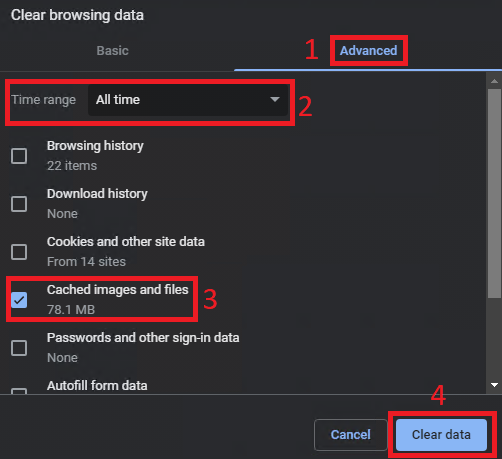
- Open Settings
→ Delete browsing data.

- Open the Advanced tab, select a time range, vali Cached images and files and click Clear data.
- In the top right, open Settings and more and select Settings.
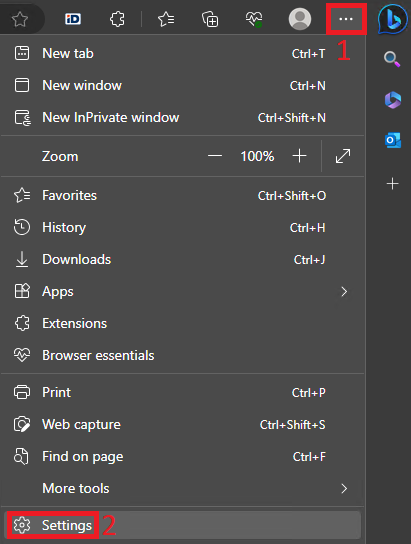
- In the tab on the left, select Privacy, search and services and click the Choose what to clear button.

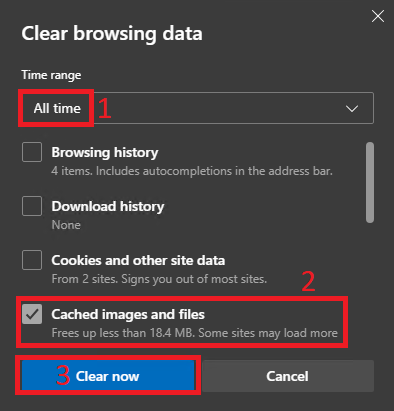
- Select a time range, add a checkmark in front of Cached images and files and click the Clear now button.
- Open the application menu and select Settings.
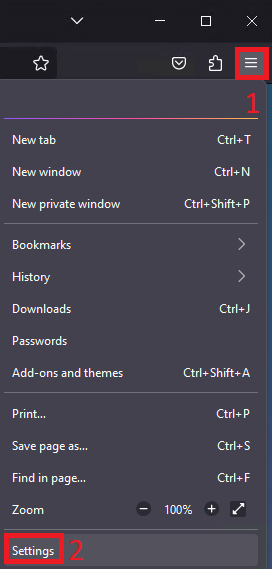
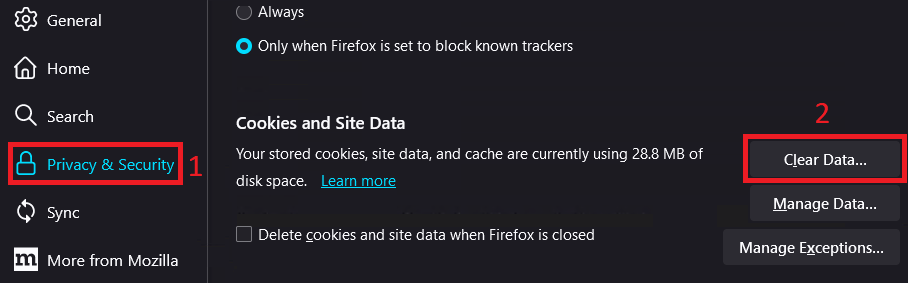
- In the left side panel, select Privacy & Security and click the Clear Data button.
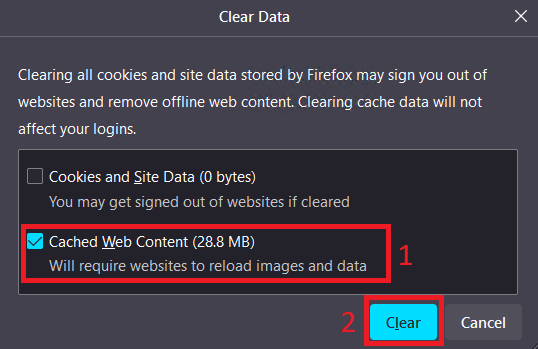
- Select Cached Web Content and click the Clear button.
- In the menu bar, select Safari → Settings.


- Open the Advanced tab and add a checkmark in front of the Show features for web developers button. Then close the window.

- Open the Develop tab at the top of the screen and select Empty Caches.


This page has no comments.