
In this guide, you will find instructions on how to clean data from your old device during digital cleaning.
| HTML Wrap | ||
|---|---|---|
| ||

| Note | ||
|---|---|---|
| ||
Kuidas vana seade andmetest puhastada? Eestikeelse juhendi leiad siit: Kuidas vana seade andmetest puhastada? |
| Table of Contents |
|---|
During digital cleanup, it is also possible to throw away an old device, be it a phone or a computer or some other device. This guide shows you how to clean your phone and computer of personal or work data before throwing away the device.
Guides
| Expand | ||
|---|---|---|
| ||
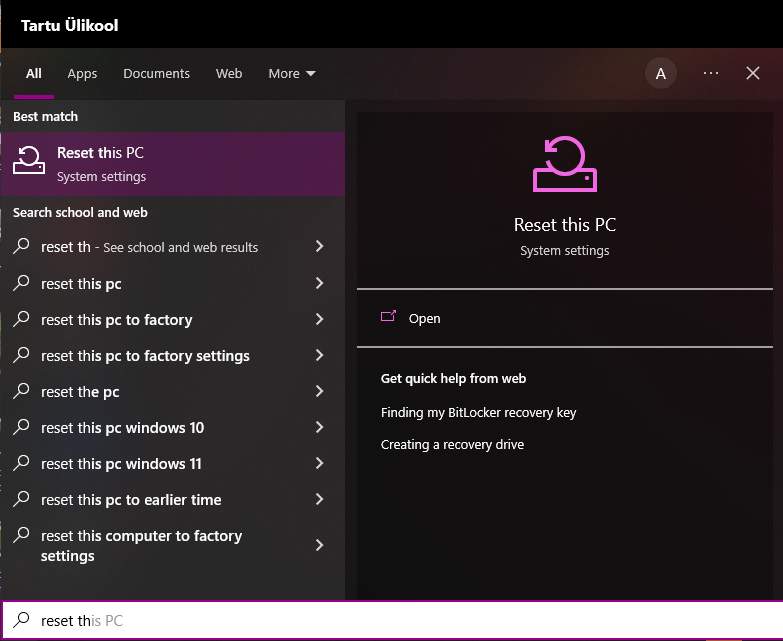
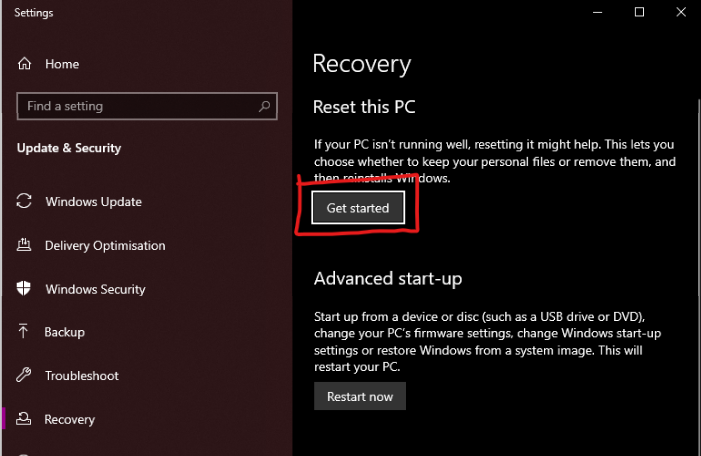
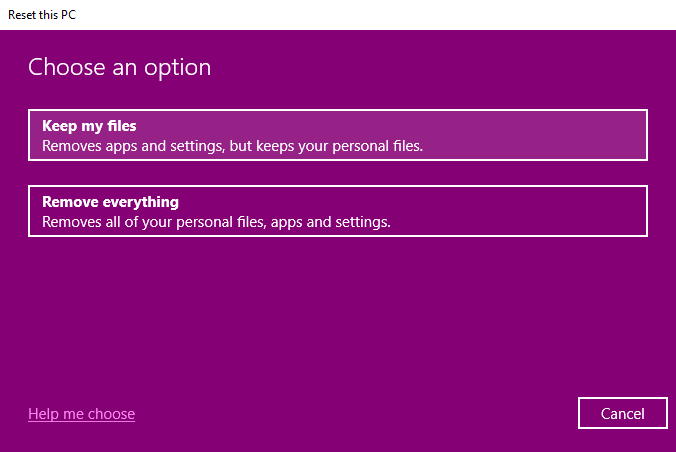
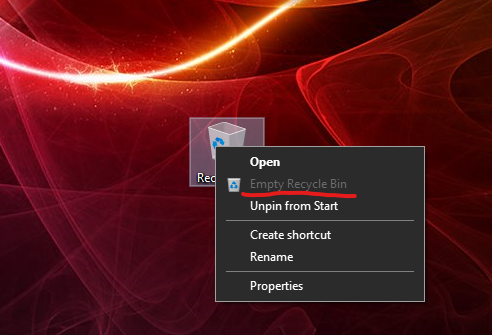
NB! We recommend using this process only if you are sure that all your files are synchronized with OneDrive.
|
For more information, check: Give your PC a Fresh Start
|
| Expand | ||
|---|---|---|
| ||
For a Mac computers, there is a good guide on the Apple support page about cleaning your computer: Erase your Mac and reset it to factory settings. |
| Expand | ||
|---|---|---|
| ||
For Android phones, there is a good guide here: How to perform Factory Reset on Android smartphone? |
| Expand | ||
|---|---|---|
| ||
For iPhones, there is a good guide here: iPhone User Guide - Erase iPhone. |