
In this guide, you can find instructions on setting up the proxy server used at the University of Tartu on a Linux device.
| HTML Wrap | ||
|---|---|---|
| ||

| Note | ||
|---|---|---|
| ||
TÜ puhverserveri seadistamine Linuxis Eestikeelse juhendi leiad siit: TÜ puhverserveri seadistamine Linuxis. |
| Table of Contents |
|---|
Introduction
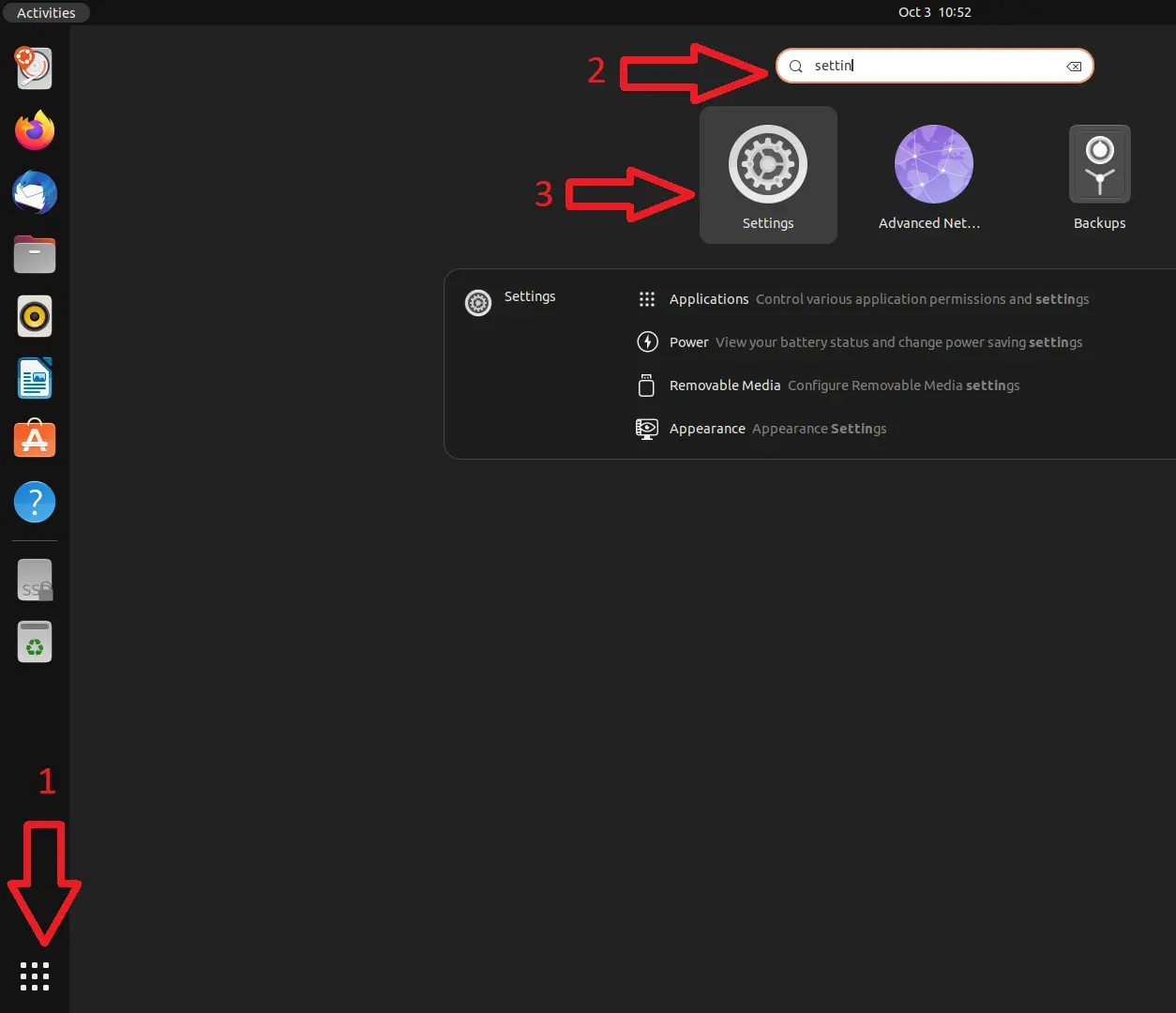
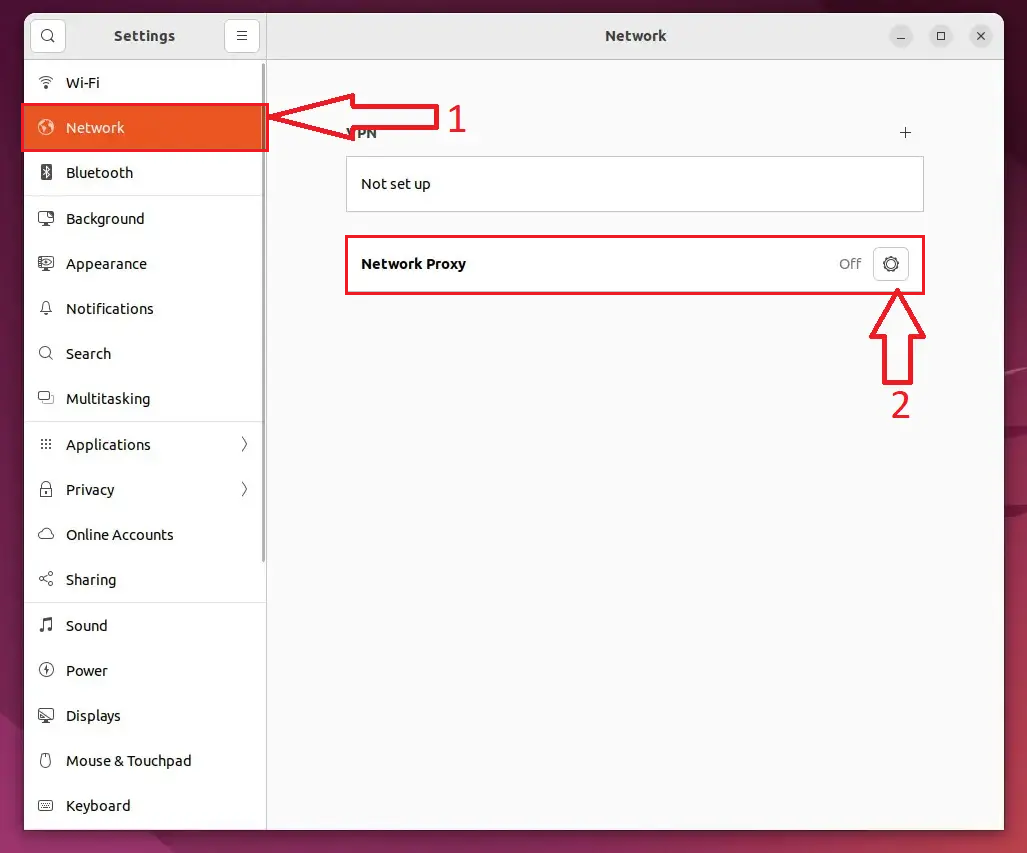
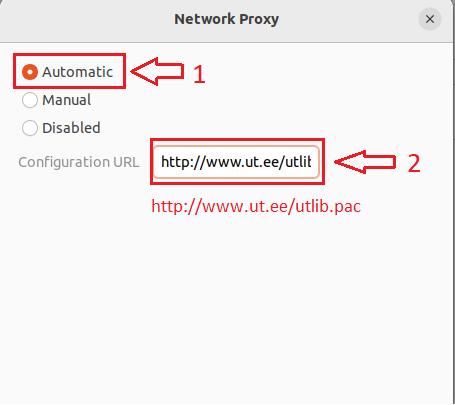
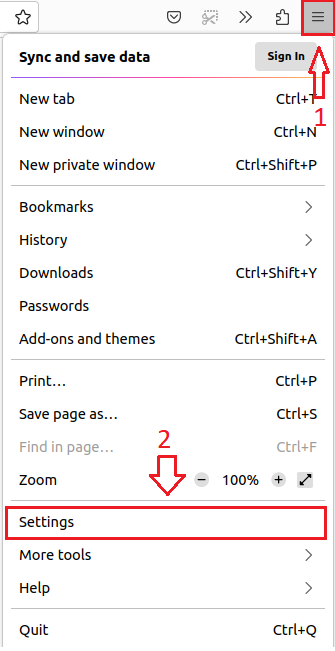
To use the proxy server, the operating system and web browser settings must be adjusted as follows:
- Configure the proxy based on your operating system.
- Configure the proxy server based on your web browser.
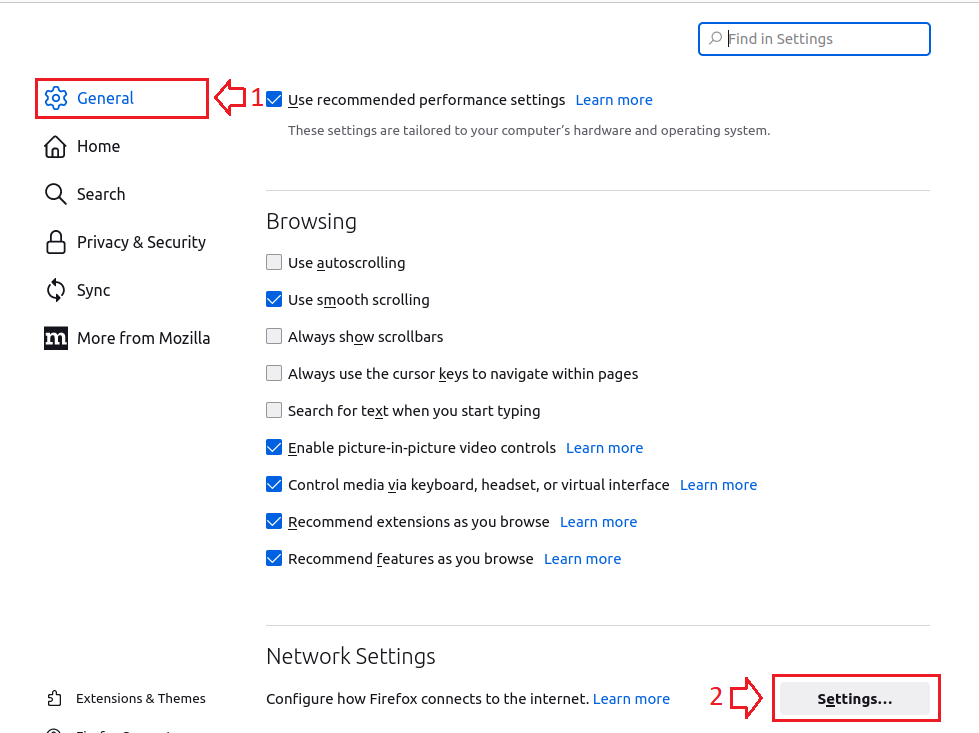
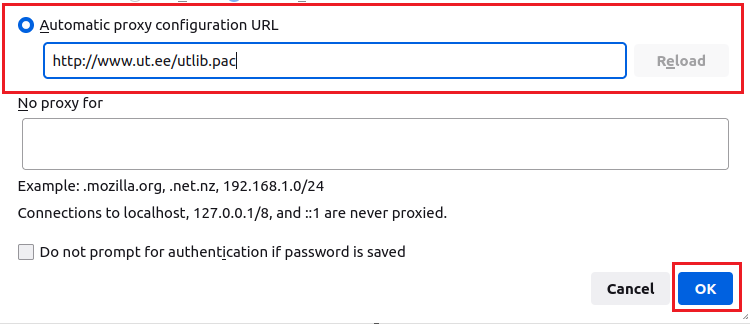
Activate proxy settings
| Expand | ||
|---|---|---|
| ||
|

| Expand | ||
|---|---|---|
| ||
|
| Expand | ||
|---|---|---|
| ||
|
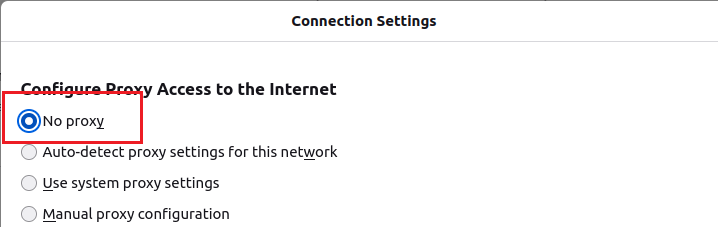
Deactivate proxy settings
| Expand | ||
|---|---|---|
| ||
|
| Expand | ||
|---|---|---|
| ||
|
| Expand | ||
|---|---|---|
| ||
|