
Due to the introduction of Microsoft 365 Copilot, all public Teams workgroups (teams) have been made private to reduce the risk of data leakage. To create a public Teams workgroup (team) site, contact IT helpdesk. |
All members of the university community, more than 17,000 people, have an MS Teams license and do not need to bear any costs to use it.
- Attendees do not have to hold a UT or MS username to attend a Teams meeting.
- Attendees do not need the Teams app installed on the computer to attend a Teams meeting – Teams can be used in the browser. To participate using a smart device, attendees need an app that is available from the app store of the respective operating system.
- People who do not hold a UT username can be included in Teams teams. Using SharePoint it is also possible to share files with people who do not hold a UT username and e-mail address.
Also, check:
Guides
Teams is pre-installed on the university computers. If Teams is not on the computer, it can be used:
|
NB! To remove Teams, you need to close the application. To remove Teams, you must remove all versions of the Microsoft Teams app and the Teams Machine-Wide Installer.
|


Microsoft Teams allows video meetings in which, in addition to university employees, guests can participate. In the meeting invitation, the guests receive a link to join the video meeting – without needing to install any additional software – in the web browser.
|
|
|
Documents shared with your team can be edited together in Teams.
|
|
When you create a new team, the channel General appears. This channel is suitable for exchanging information with the whole team. To create additional channels:
|
|
|
|


|


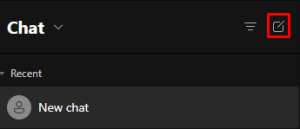
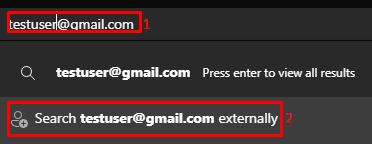
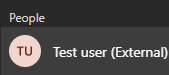
Microsoft Teams Premium is a paid service that adds a number of additional features to the standard Teams experience that make meetings more personal, smarter and safer.
Here are some of the most important features:
|